Choosing Based on Your Space and Growth Plans
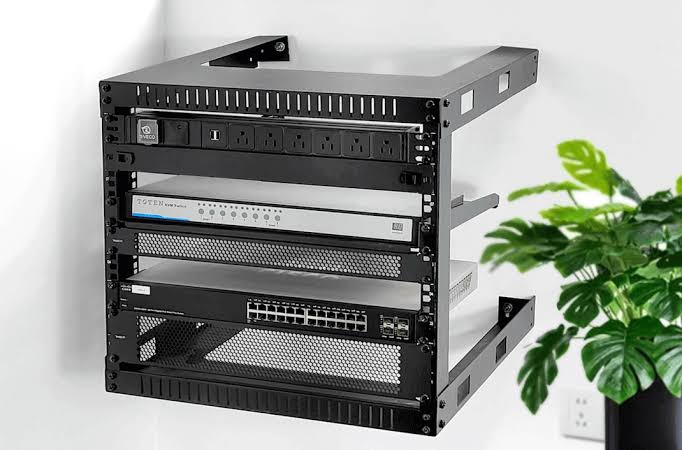
- If your equipment list is short today and unlikely to grow significantly, a wall-mount rack is usually the more practical and cost-effective choice
- If you’re setting up a dedicated server room or expect to add switches, servers, or storage over the next few years, a floor-standing rack avoids the cost and disruption of migrating to a larger unit later
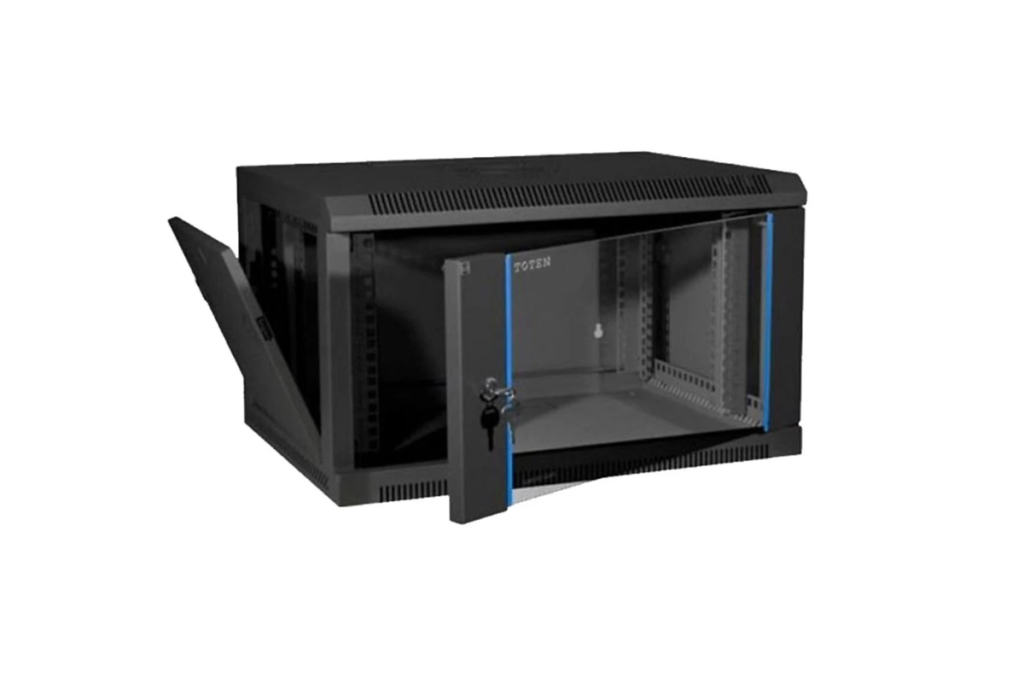
- If floor space is genuinely limited but your equipment load is moderate, some TOTEN wall-mount models extend toward the upper end of the wall-mount range, offering a middle-ground option before committing to a full floor-standing cabinet
- If cooling is a concern, particularly in server rooms without dedicated precision air conditioning, floor-standing units generally provide better internal airflow management for continuous equipment operation
TOTEN Rack Range Available in the UAE
TOTEN’s product line covers most standard office and data center configurations, giving buyers flexibility depending on their layout and growth plans:
- Wall-mounted cabinets (WM and ZH series): compact enclosures suited to comms rooms and small office deployments
- Server racks (G2, GD, and GS series): floor-standing enclosures designed for server room and data center environments
- Open racks (OR and CR series): frame-only designs for environments where full enclosure and airflow containment aren’t required
- Data racks (DR series): configurations built specifically around data center density requirements
Power and Cooling Considerations for Each Format
Rack format also affects how you plan power distribution and cooling, and this is often overlooked until equipment starts running hot or a UPS won’t physically fit where it’s needed.
- Wall-mount racks generally accommodate a small PDU and a compact UPS unit, but space is tight, so cable dressing and airflow around the equipment need careful planning from the outset
- Floor-standing racks offer room for larger PDUs, rack-mounted UPS units, and dedicated cable management arms, making it easier to keep power and data cabling separated as the installation grows
- Front-to-back airflow matters more in floor-standing cabinets housing servers, since blanking panels and proper equipment orientation prevent hot air from recirculating back into the intake side
- Ventilated wall-mount doors help with light loads, but a wall-mount rack packed with active switching gear in a small, unventilated closet can still run warmer than expected, so room ventilation should be checked alongside rack selection itself
Common Mistakes When Selecting a Rack
- Sizing for today’s equipment only: buying the smallest rack that fits current hardware, without accounting for even modest growth over the next two to three years
- Ignoring door and side panel ventilation: solid, unventilated panels can trap heat in enclosed cabinets, particularly in wall-mount units placed in small rooms
- Underestimating cable management needs: a rack that looks adequately sized on paper can quickly become difficult to service once patch cords, power cables, and fiber runs are added
- Overlooking weight and mounting requirements: this applies especially to wall-mount installations, where the wall itself needs to support the fully loaded weight, not just the empty enclosure
- Choosing based on price alone: a cheaper rack with poor cable management, weak hinges, or inadequate ventilation often costs more in the long run through servicing difficulty or premature replacement
Conclusion
The right rack choice comes down to matching the format to the environment: wall-mount for small, space-constrained sites with limited equipment, and floor-standing for server rooms and data centers that need capacity, airflow, and room to grow. Getting this decision wrong usually means paying twice, once for the initial rack, and again when it’s replaced sooner than expected. Zoom Line Networks Technology is an authorised TOTEN distributor in Dubai, stocking the full range of wall-mount, floor-standing, open, and data center racks with technical guidance on sizing and configuration. Contact our team at +971 4325 7866 to find the right TOTEN rack for your office or data center.
- APC UPS
- Aruba
- Aten KVM
- CCTV Cameras
- Copper Cable
- Corning
- D-link
- D-link Router
- Eaton UPS
- Excel Cable
- Fiber Optic Patch Cord
- Fiber Optic Splitter
- Fortinet
- FTTH Cabinets
- Hp Switch
- IP PBX System
- Media Converter
- Molex
- Network Cabinet
- Nexans
- Others
- panduit
- Panduit Cable
- Power Distribution Unit
- Product News
- Schneider
- Server Cabinet
- Server Rack
- Splicing Machine
- Structured Cabling
- Technology
- Tp-link
- Tp-link Router
- Ubiquiti
- Ubiquiti Router
- Yealink
- Yeastar